Eraser
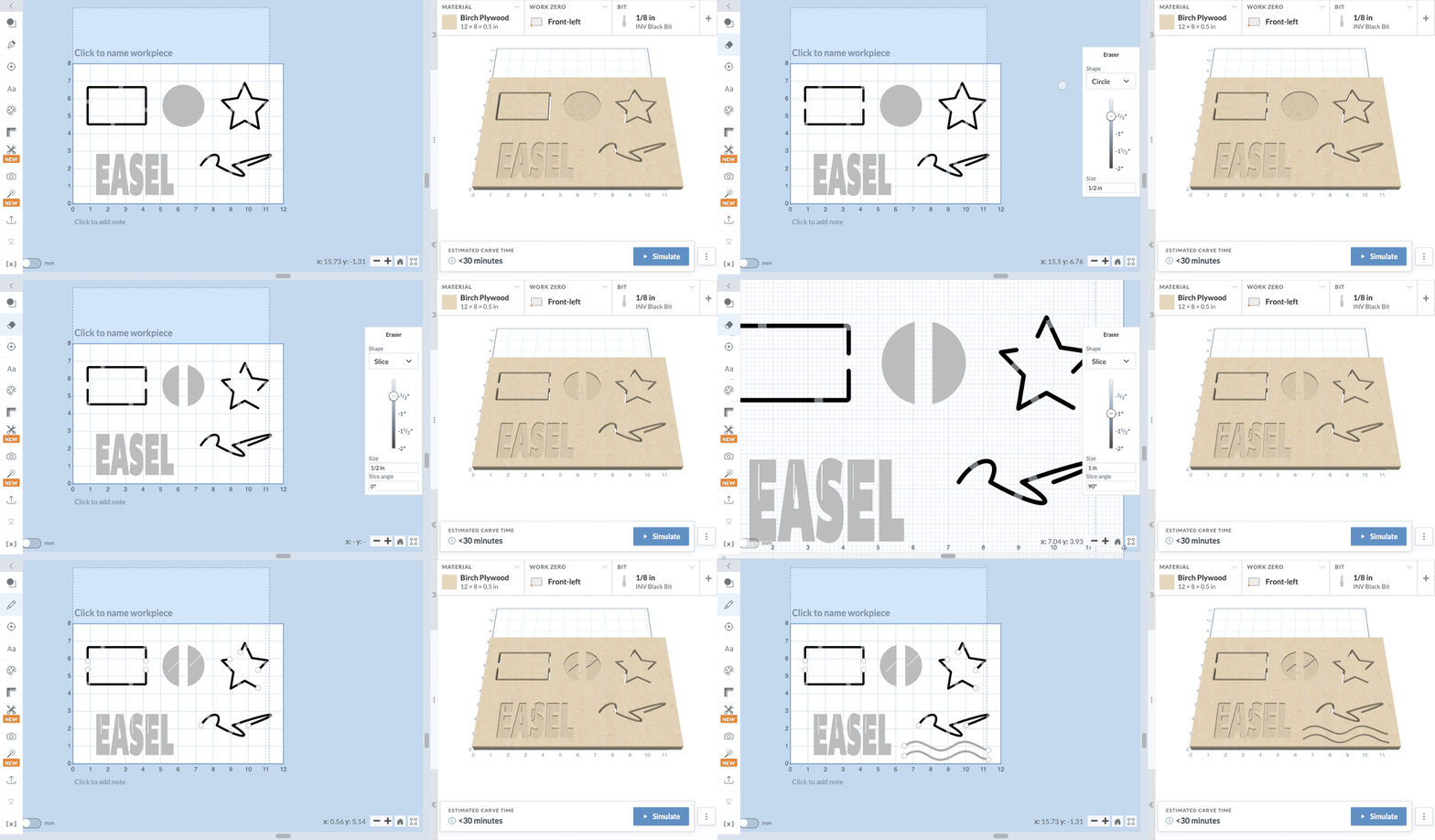
Clean up a design the way you would on paper. Pick the eraser, drag it across your shapes, and whatever it passes over is gone. No point editing, no helper shapes, no combining.
How to Use
- Open the pen tool menu in the left toolbar and choose Eraser at the bottom.
- Pick a Shape and a Size in the panel on the right.
- Click to erase a spot, or click and drag to erase along a stroke. The shaded area shows what will be removed before you let go.
- Keep going. The eraser stays on until you press Esc or pick another tool.
Each stroke is one step, so Undo puts back everything it removed.
What Gets Erased
The eraser treats a shape the way it will be carved.
- Outlines and lines lose the stretch of line you erase. Run the eraser across the edge of a rectangle and it opens up, the same as trimming a piece off with a knife.
- Pockets and text lose the area you erase. Drag through a filled circle and you get two half circles, each still a pocket.
- Inside and outside cuts keep the line your bit was already going to follow. The rest of the part still comes out to size.
Locked shapes, drill holes, and designs made by apps like Monogram and V-Carve Inlay are left alone.
Choosing a Shape and Size
The size starts at your bit's diameter, so a stroke removes about what one pass of the bit would carve. Slide it anywhere from 1/32" to 2", or type a size in inches or millimeters. The size stays the same when you zoom in or out.
When to Use Each
- Circle. Everyday cleanup. Works just like your pencil eraser.
- Square. Straight edges and sharp inside corners. Good for squaring off the end of a pocket or trimming a clean notch.
- Slice. A thin blade for cutting a shape into pieces. Set the Slice angle to the direction you want to cut, then click once across the shape. Zoom in to see the cut; it is only 1/32" wide.
Good to Know
- An erased shape becomes a regular path. Curves are kept as many short straight segments, and erased text can no longer be edited as text.
Give it a try on your next project, and let us know what you make with it.